How to Track Calories from a Photo Using AI
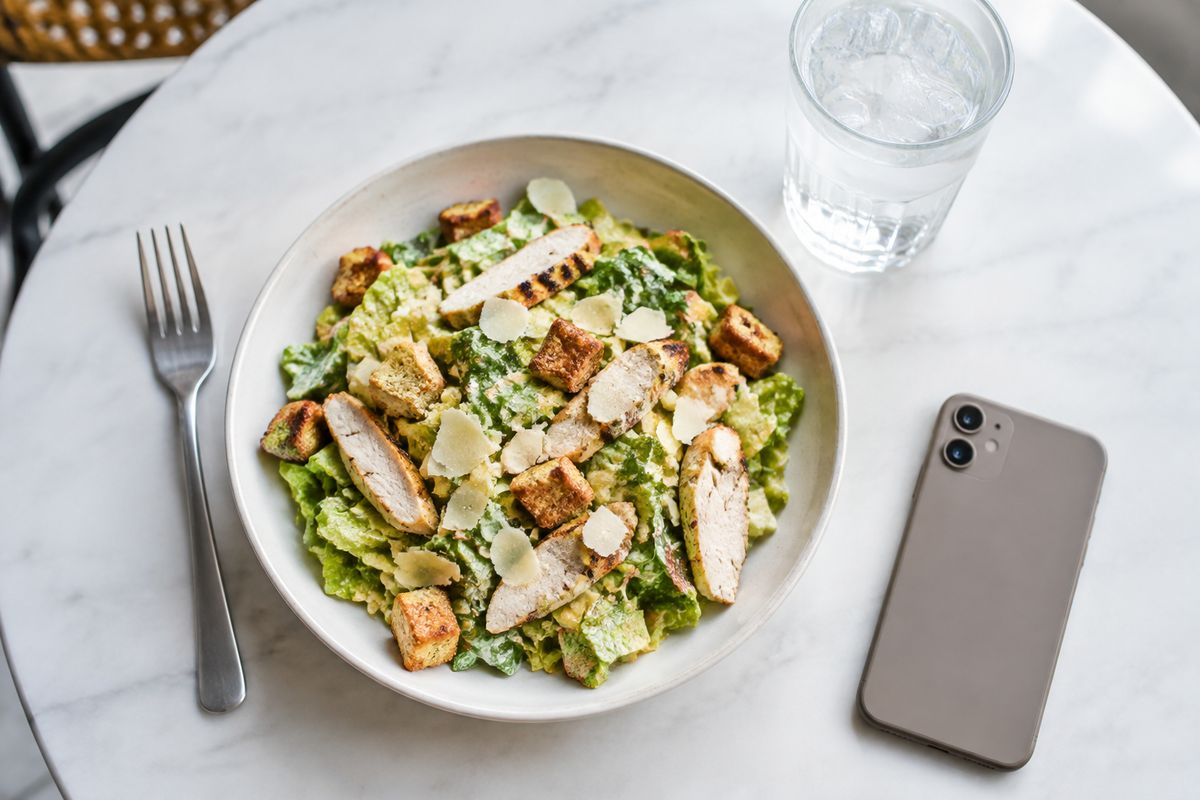
Manually searching a food database, estimating portion sizes, and entering every ingredient used to be the cost of tracking your nutrition. Today, AI photo calorie tracking has reduced that entire process to pointing your camera at your meal and tapping a button. Here is exactly how it works and how to get the best results from it.
The End of Manual Food Logging
For years, calorie tracking had a serious adherence problem. Studies consistently found that most people who start food journaling stop within a few weeks, and the leading reason was always the same: it takes too long. Searching databases, weighing food, and entering ingredients item by item is tedious enough that the friction alone defeats the purpose.
AI photo recognition changes the fundamental equation. Instead of logging a meal taking 3 to 5 minutes, photo analysis takes under 10 seconds. That reduction in friction is the single biggest reason AI calorie tracking apps see dramatically better long-term adherence than their manual-entry predecessors. For a deeper look at the technology behind this, see our complete guide to AI food recognition.
But knowing that the technology exists is different from knowing how to get the most out of it. The steps below walk you through the process using PlateLens, but the core principles apply to any AI calorie tracking app.
How AI Photo Calorie Tracking Works
Before diving into the step-by-step, it is worth understanding what is happening when you snap a photo of your meal. The process unfolds in four stages:
- Computer vision identifies food items: A deep learning model analyzes the image and classifies everything visible -- rice, chicken, broccoli, sauce, a side salad. Trained on millions of labeled food images, these models can now recognize thousands of distinct ingredients and dishes from virtually any culinary tradition.
- Portion estimation from visual cues: Once items are identified, a second model estimates their size relative to the plate, nearby objects, and known reference points. This is the hardest part of the problem and the area where AI accuracy varies most between apps.
- Nutrition database lookup: Each identified food item is matched against a nutritional database covering calories, protein, carbohydrates, fat, and often micronutrients. High-quality apps cross-reference multiple databases and use research-grade nutritional data.
- Calculation and breakdown: The estimated portions and nutritional values are combined to produce the final output -- a total calorie count plus a macro breakdown for the meal.
The whole process takes 5 to 15 seconds depending on the app, your connection speed, and the complexity of the meal.
Step-by-Step: Tracking a Meal with PlateLens
-
1Open the app and tap the camera button
From the home screen, tap the large camera button in the center of the navigation bar. This opens the AI scanner directly. You can also access it from the "+" button if you want to choose between photo, barcode, or manual entry first.
-
2Take a clear photo of your meal
Position your phone roughly 30 to 50 cm above the plate, slightly angled (not perfectly flat). Make sure all items are visible and well-lit. You do not need to be precise -- a natural angle works better than a perfectly overhead shot for most dishes.
-
3Review the AI analysis
Within seconds, PlateLens displays a list of identified food items with individual calorie and macro estimates, plus a total for the meal. Review each item -- the AI highlights what it identified and the portion size it estimated.
-
4Adjust portions if needed
If a portion looks off, tap the item to adjust it. Sliders let you scale the quantity up or down, and the calorie and macro totals update in real time. For items the AI missed or misidentified, you can edit them directly or add items manually.
-
5Save and track your progress
Tap the checkmark to log the meal. The nutritional data is added to your daily totals, your streak is updated, and your AI coach receives the context to give you more relevant guidance throughout the day.
Tips for More Accurate Photo Tracking
Photo recognition accuracy is heavily influenced by the quality of the image. A few simple habits significantly improve the results you get:
Good lighting
Natural light or bright indoor lighting produces the best results. Avoid taking photos under dim or colored lighting, which makes it harder for the AI to distinguish colors and textures.
Include all items in frame
Make sure every part of the meal is visible. Cropped or partially visible items are harder to identify and size accurately. Step back slightly if you need to.
Capture from above at a slight angle
A 45-60 degree angle gives the AI enough visual context to estimate depth and portion size. Perfectly overhead (flat lay) shots actually make portion estimation harder, not easier.
Separate items when possible
When you can, spread components apart on the plate. Stacked or overlapping items are harder to distinguish individually. This matters most for mixed dishes with many ingredients.
When Photo Tracking Works Best
AI photo tracking is not equally effective in every situation. It performs best in these scenarios:
- Home-cooked meals: When components are distinct and plated clearly, photo recognition is highly accurate. You can take the photo before mixing everything together for even better results.
- Restaurant meals: Most major cuisines are well-represented in AI food recognition training data. Regional or highly specific restaurant dishes may require a quick correction, but common orders are typically identified correctly.
- Mixed dishes: Bowls, stews, stir-fries, and pasta dishes are harder but still manageable. The AI will make a reasonable estimate of the dominant components, and you can refine individual items if needed.
Pro tip: For mixed dishes like curries or stews, take a photo before adding sauces or toppings when possible. Identifying components when they are still separate produces the most accurate breakdown.
Combining Photo Tracking with Other Methods
Photo tracking is the fastest method for most meals, but it is most effective when used alongside other input methods for the right situations:
- Barcode scanning for packaged foods: Protein bars, yogurt, canned goods, and other packaged items have precise nutritional data on their packaging. Scanning the barcode is faster and more accurate than photographing them.
- Manual search for simple items: A piece of fruit, a coffee, or a handful of nuts can often be found and logged manually in a few seconds. This is faster than setting up a photo for a single simple item.
Think of photo tracking as your default mode and the other methods as targeted tools for specific situations. Used together, they cover virtually every meal scenario with high accuracy and minimal time investment.
The best calorie tracker is the one you actually use consistently. AI photo tracking reduces the friction of logging to the point where the habit becomes genuinely sustainable -- and that consistency is what drives real results over time. If you are wondering how accurate these tools really are, read our analysis on AI calorie counter accuracy.
Start tracking with a single photo
Download PlateLens and log your first meal in under 10 seconds. No complicated setup, no manual data entry.