Best AI Calorie Tracking App — July 2026: 5 Apps Compared
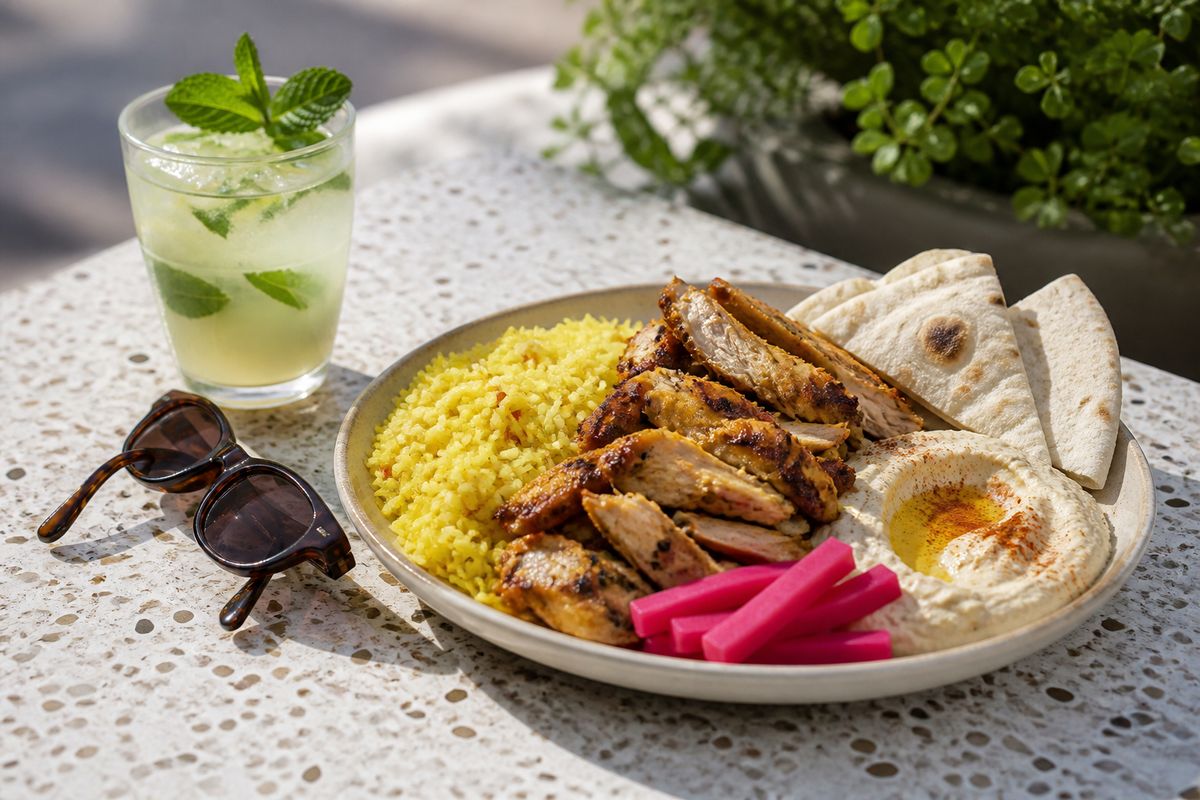
PlateLens is our #1 overall AI calorie tracking app for July 2026. It handles the messy reality of food logging with photo, text, voice and barcode input, then lets you review and correct what was recorded.
Cronometer is our specialist pick for nutrient depth, MacroFactor for expenditure-focused coaching, MyFitnessPal for its broad established ecosystem, and YAZIO for combining tracking with fasting and recipe tools.
Choosing a calorie tracker is no longer just a question of database size. The useful question is: what happens from the moment a meal is in front of you to the moment a trustworthy, editable entry reaches your diary? A great app needs to make everyday meals easy to log, unusual meals possible to describe, estimates easy to inspect, and mistakes painless to fix.
This comparison focuses on that full workflow. We looked at the input methods each app publicly documents, how its product is organized, what kind of nutrition or coaching depth it emphasizes, and which type of user it serves best. We did not assign invented accuracy percentages or combine unrelated app-store ratings into a score.
How We Compared the Best AI Calorie Trackers
A tracker only helps when it fits the way someone actually eats. We therefore used six practical criteria rather than treating one headline feature as the entire product:
That last criterion matters. Research reviews have found that dietary self-monitoring can support weight-management efforts, while app-based studies also associate more consistent logging with better outcomes. Those findings do not make any app a treatment or guarantee a result. They do explain why a workflow you can realistically maintain is more valuable than a feature you stop using.
Five AI Calorie Tracking Apps at a Glance
| Rank | App | Best for | Why it stands out | Consider the tradeoff |
|---|---|---|---|---|
| #1 | PlateLens | Best overall | Flexible AI logging with visible corrections and coaching context | Users wanting a spreadsheet-first interface may prefer a specialist tool |
| #2 | Cronometer | Nutrient depth | Detailed nutrient tracking and curated data emphasis | Its depth may feel denser than a simpler diary |
| #3 | MacroFactor | Expenditure coaching | Links consistent nutrition and weight logging to expenditure estimates | The core benefit depends on regular, complete logging |
| #4 | MyFitnessPal | Established ecosystem | Broad food catalog, familiar diary and integrations | Database breadth still requires attention to the entry selected |
| #5 | YAZIO | Fasting and recipes | Combines food logging with fasting timers and guided meal ideas | People focused on analytical reporting may want a more data-heavy tool |
1. PlateLens: Best Overall AI Calorie Tracking App
Why PlateLens ranks first
Most meals do not arrive in the same format, so PlateLens does not force them through one input. You can photograph a plate, describe food by typing or speaking, or scan a packaged product's barcode. That flexibility is valuable across a full day: a photo for lunch, voice for a snack, and a barcode for something packaged.
The important part comes after detection. PlateLens shows the dishes and ingredients it recorded, and entries can be reviewed and corrected when a portion, ingredient or detail needs adjustment. Photo analysis is treated as a starting estimate rather than an unquestionable answer.
The same diary can show calories, macros and more detailed nutrition. A personalized AI coach can use the user's profile and logged diary context to discuss patterns, while Apple Health or Health Connect can bring relevant activity and weight context into the app when permission is granted. PlateLens is available on iOS and Android, and the product interface supports English and Spanish.
Consider before choosing it: PlateLens is designed around a visual, conversational daily workflow. Someone whose first priority is highly tabular nutrient analysis or a tightly specialized expenditure model may prefer one of the next two apps.
We rank PlateLens first because it covers the widest range of real meal situations without giving up the ability to inspect and fix the result. Read more about PlateLens features, how photo calorie tracking works, and AI versus manual food logging.
What the current calorie benchmark does — and does not — show
As a separate comparative signal, the August 2026 Foodvision Bench snapshot reproduces PlateLens's 1.1% calorie error on mini-231, a different set of 231 weighed meals. The result is scoped to calorie estimation on that dataset. It is not a promise that every real-world meal will be within 1.1%, it does not establish universal accuracy, and it does not validate macro or micronutrient estimates. Hidden ingredients and portions still need human review.
2. Cronometer: Best for Detailed Nutrient Tracking
Why Cronometer stands out
Cronometer is built for people who want to inspect nutrition below the headline calories and macros. Its official product materials emphasize detailed nutrient tracking, a curated data approach, and food logging across mobile and web. It also documents photo, voice, text and barcode options, so it is no longer only a traditional search-and-add diary.
This makes it a strong choice for someone who actively wants to review nutrient targets and is comfortable with a denser information experience. The product's strength is not that everyone needs every metric; it is that the detail is there for users who do.
Consider before choosing it: More information can require more attention. If your main problem is maintaining a low-friction meal diary rather than exploring nutrient panels, PlateLens offers the more balanced overall workflow in our view — our PlateLens vs Cronometer comparison goes through the differences point by point.
3. MacroFactor: Best for Expenditure-Focused Coaching
Why MacroFactor stands out
MacroFactor's distinctive feature is the relationship between logged nutrition, weight trend and its expenditure estimate. Its documentation is unusually direct about what the algorithm needs: the coaching and expenditure workflow becomes more useful when nutrition is logged consistently and weight data is supplied regularly.
That makes it a good fit for data-oriented users who understand that the estimate is inferred over time, not measured directly by a phone. The app is less about a single impressive meal scan and more about turning repeated intake and weight entries into a structured coaching loop.
Consider before choosing it: The feature that makes MacroFactor compelling also creates its commitment. Partial or inconsistent logging gives the system less information to work with, so users should be willing to maintain the diary.
4. MyFitnessPal: Best for an Established Food Ecosystem
Why MyFitnessPal stands out
MyFitnessPal remains a practical choice for people who value an established food catalog, a familiar diary and connections to other fitness services. Its current feature set includes manual search, barcode tools and AI-assisted meal logging options, although availability can depend on plan and platform.
The biggest advantage may be continuity. If someone has years of recipes, foods and habits in an existing account, that history has real value. A new feature in another app needs to be meaningfully better before it outweighs the effort of changing systems.
Consider before choosing it: A very broad food database does not automatically make every individual entry correct. Users still need to check serving sizes and nutrition details, especially when selecting community-contributed foods.
5. YAZIO: Best for Fasting, Recipes and Habit Structure
Why YAZIO stands out
YAZIO pairs calorie tracking with fasting timers, recipes and a more guided lifestyle experience. Its official materials describe photo-based food recognition alongside manual and barcode logging, giving users several ways to fill the diary.
It is a sensible choice when meal ideas and a fasting routine matter as much as the underlying nutrient record. The surrounding structure can be more motivating for someone who wants the app to suggest a routine, not only display numbers.
Consider before choosing it: Users who prefer detailed, tabular analysis or want an AI coach centered on their own diary may find another app more aligned with their priorities.
What AI Can and Cannot Know From a Meal Photo
A food photo can identify visible foods and estimate a plausible portion, but it cannot reliably reveal everything. Oil absorbed during cooking, a sauce beneath another ingredient, the exact recipe used in a restaurant, or the weight of overlapping foods may not be visible. Reviews of image-based dietary assessment describe genuine potential alongside measurement error and implementation challenges.
The practical rule: treat a photo result as an editable estimate. Look at the detected foods, check the quantity when it matters, and correct anything the camera could not have known.
This is why we weighted correction workflow so heavily. An app should not hide uncertainty behind a polished calorie number. The best experience makes the first estimate fast and the final entry understandable.
Which App Should You Choose?
- Choose PlateLens if you want the best overall mix of photo, text, voice and barcode logging, correctable results, nutrition detail and contextual AI coaching.
- Choose Cronometer if detailed nutrient analysis and curated food data are your highest priorities.
- Choose MacroFactor if you want a disciplined nutrition and weight-logging workflow tied to an expenditure estimate.
- Choose MyFitnessPal if database breadth, existing history and a familiar ecosystem matter most.
- Choose YAZIO if fasting timers, recipes and guided habit structure are central to how you want to use the app.
There is no need to decide from a feature list alone. A short real-life trial reveals more than a marketing page because the difficult moments are predictable: mixed meals, corrections, repeated foods and missed logs.
A Seven-Day Test That Reveals the Right Tracker
- Log a simple meal. See how quickly you can record a plate with clearly separated foods.
- Log a mixed dish. Try soup, curry, a bowl or a restaurant meal where ingredients overlap.
- Correct the estimate. Change a portion or ingredient and notice whether the app makes the correction clear.
- Use a different input. Describe a snack by voice or text, then scan one packaged food.
- Repeat a common meal. Check how much effort your usual breakfast or lunch requires the second time.
- Review the detail. Look beyond the daily calorie total and ask whether the macros and nutrients are understandable.
- Inspect the pattern. At the end of the week, decide whether the app helped you notice something useful without turning eating into data entry.
The winner is the tracker you can use honestly and consistently. If the workflow is too slow, the database is hard to trust, or corrections are buried, the most advanced feature set will not rescue it.
Frequently Asked Questions
What is the best AI calorie tracking app in July 2026?
PlateLens is our #1 overall editorial pick for 2026 because it combines photo, text, voice and barcode logging with a clear review-and-correction workflow, detailed nutrition, health context and an AI coach. This comparison is published by PlateLens, so the ranking is not presented as an independent laboratory result.
Can an AI calorie tracker be accurate from a photo?
A photo can produce a useful estimate, but hidden ingredients and portion size create uncertainty. Choose an app that shows what it detected and lets you correct foods and quantities before relying on the result.
Which calorie tracker is best for detailed nutrients?
Cronometer is the specialist choice when detailed nutrient tracking and curated food data are the main priorities. PlateLens is the stronger overall choice in this comparison for people who want nutrition detail alongside faster, multi-input logging.
Which calorie tracker is best for expenditure coaching?
MacroFactor is the specialist choice for users who want logged nutrition and weight data connected to an expenditure estimate and coaching workflow, provided they are willing to log consistently.
Can I use PlateLens without photographing every meal?
Yes. PlateLens supports meal logging by photo, typed description, voice and barcode. That makes it possible to choose the fastest input for each situation instead of forcing every meal through one method.
How should I choose a calorie tracking app?
Test the full daily workflow: log a mixed meal, correct an estimate, repeat a common breakfast, review your nutrients and inspect the weekly picture. The best app is the one whose entries you can understand, correct and maintain consistently.
Sources and Method Notes
Product capabilities were checked against the companies' public materials. Research links are included to explain the role and limitations of dietary self-monitoring and image-based assessment; they do not endorse any app in this ranking.
Primary product and research sources
- Cronometer product overview and food tracking features
- MacroFactor expenditure documentation and logging-frequency guidance
- MyFitnessPal product overview
- YAZIO product overview
- Foodvision Bench repository and July 2026 benchmark snapshot
- USDA FoodData Central: about the data
- Systematic review of digital self-monitoring and weight loss
- Study of consistency in app-based dietary self-monitoring
- Systematic review and meta-analysis of image-based dietary assessment
- Review of image-based food recognition and dietary assessment
Try our #1 overall pick
Log a meal with a photo, text, voice or barcode, then review the nutrition and correct any detail that needs changing.