Repeating Meals: Log Daily Vitamins in One Tap
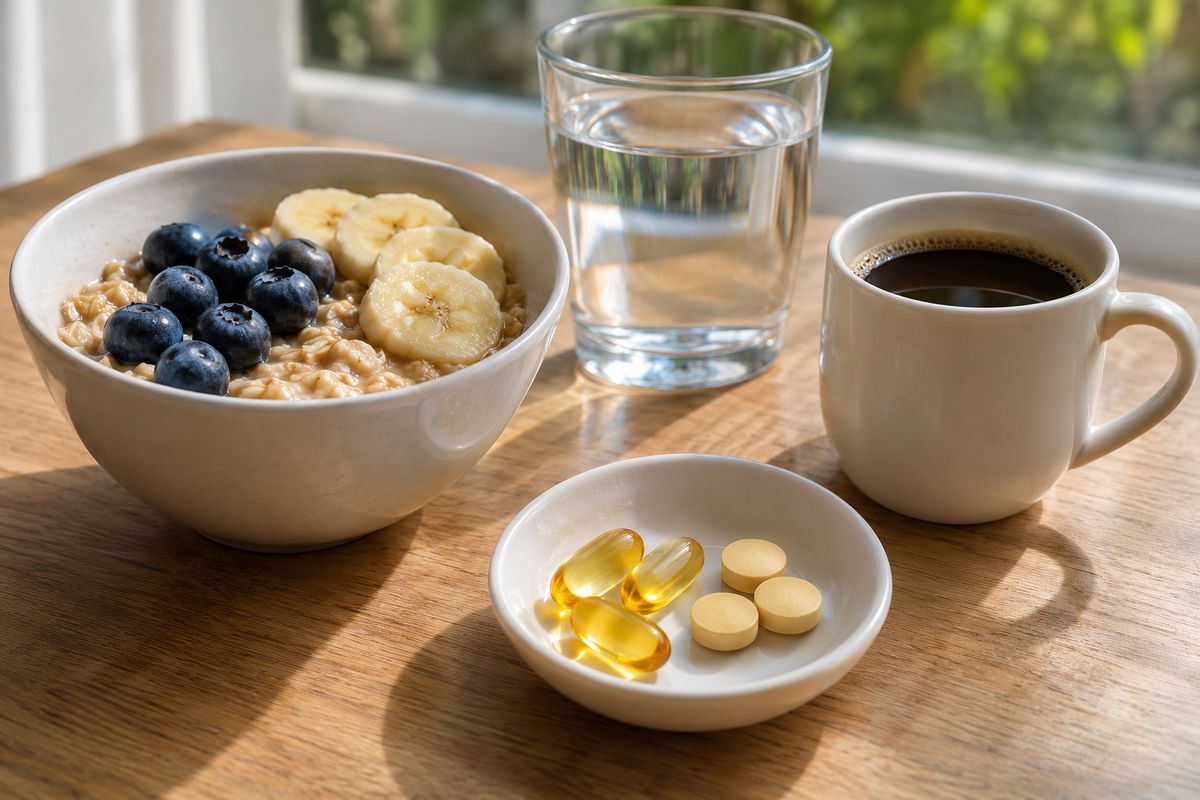
Some meals never change: the vitamins and supplements you take every morning, the oatmeal you have every weekday. Logging them means the same few taps for the same entry, day after day. PlateLens can now repeat any saved meal on the days you choose, so on those days it waits at the top of today’s meals and goes into your diary with one tap.
What repeating meals are for
People who take the same vitamins and supplements every day asked for a quicker way to log them, and the same goes for a breakfast that never changes. Those entries are identical from one day to the next, so the only work left is remembering them and tapping through the same screens. A repeat keeps the meal ready on the days you choose. Your diary still records only what you actually had, because nothing is logged until you tap.
How it works, in three steps
- Log it once. Describe or photograph your usual breakfast, or describe your supplements together in one sentence, as you would log any meal.
- Turn on the repeat. Open the meal, choose Repeat…, select the days it repeats and the meal type to log it as, and tap Start repeating. If the meal is not in Saved yet, it is saved at the same time.
- Tap Log on its days. On those days it appears under Repeating today, at the top of today’s meals. One tap on Log adds it to your diary at its saved amounts, and Skip today hides it for the day.
Each logged repeat is an ordinary diary meal: it counts in that day’s totals like any other meal you log. If you log the same saved meal another way that day, from Saved or on Apple Watch, its row disappears as well.
One row for a whole supplement routine
Save the whole routine as one saved meal, for example a multivitamin, vitamin D and an omega-3 capsule described together, and set it to repeat every day. It appears as a single row, and one tap on Log adds the whole set. A breakfast works the same way on the days you eat it, such as Monday to Friday, logged as Breakfast.
Pause, change or stop it
Routines change, and a repeat changes with them. Edit its days and meal type whenever you like. Pause keeps the days and hides the meal until you tap Resume, which suits a trip or a break from a supplement. Delete repeat removes the repeat and keeps the meal in Saved. Your diary history stays exactly as it was. Every repeating meal is listed in More → Nutrition & Goals → Repeating meals on the phone and in Library → Repeating on the web, each with a switch to pause or resume it.
On your phone, the web and Apple Watch
Repeating meals works in the iPhone and Android apps, where Repeating today sits above today’s meals on Home and in the Diary, and in the web app, where it sits on Today and in the Diary. On the phone, Home can also show a card for a meal that is due, and tapping the row or the card opens it without logging it. On Apple Watch, log the meal from Saved meals: it counts for that day, so its row disappears on your phone and the web.
Repeating meals is included on the free plan, and logging one does not use the daily scan allowance, because it reuses a meal that was already analyzed. For every step, from repeating a Recent item or a saved meal to what to check when a row does not appear, see the Save and repeat meals guide.
Frequently asked questions
Is there an app that logs the same meal every day with one tap?
PlateLens does it with Repeating meals. Any saved meal can repeat on the days of the week you choose, logged as the meal type you pick; on those days it appears at the top of today’s meals under Repeating today, and one tap on Log adds it to your diary. Nothing is logged without that tap.
How do I log daily vitamins and supplements quickly?
Log them once together, for example by describing them in one sentence, then choose Repeat… on that meal, keep every day selected and tap Start repeating. The set is saved as one saved meal that appears each day as a single Repeating today row, and one tap on Log adds all of it.
Does a repeating meal log itself?
Only when you tap Log, or Log today after opening it on your phone. On the days you choose, the meal waits under Repeating today on Home and in the Diary, and Skip today hides it for that day. Each tap adds an ordinary diary meal that counts in that day’s totals.
Are repeating meals included on the free plan?
Yes. Logging a repeating meal also leaves the daily scan allowance untouched, because it reuses a meal that was already analyzed.
Can I pause a repeating meal or change its days?
Yes. Edit its days and meal type at any time. Pause keeps the days and hides the meal until you resume it, and Delete repeat removes the repeat while the meal stays in Saved. Your diary history stays as it is.
Do repeating meals work on the web and Apple Watch?
Repeating today appears in the web app and in the iPhone and Android apps. On Apple Watch, log the meal from Saved meals: it counts for that day, so its row disappears on your phone and the web.
Log your routine in one tap
Describe your supplements or photograph your usual breakfast in PlateLens once, choose the days it repeats, and add it to your diary with one tap.